 Ghillie
Everything Ghillie does
Spot marking, Active Rods and importing your catch photos are on the home page. This is the rest of it, screen by screen.
Every water, and everything you need to get on it.
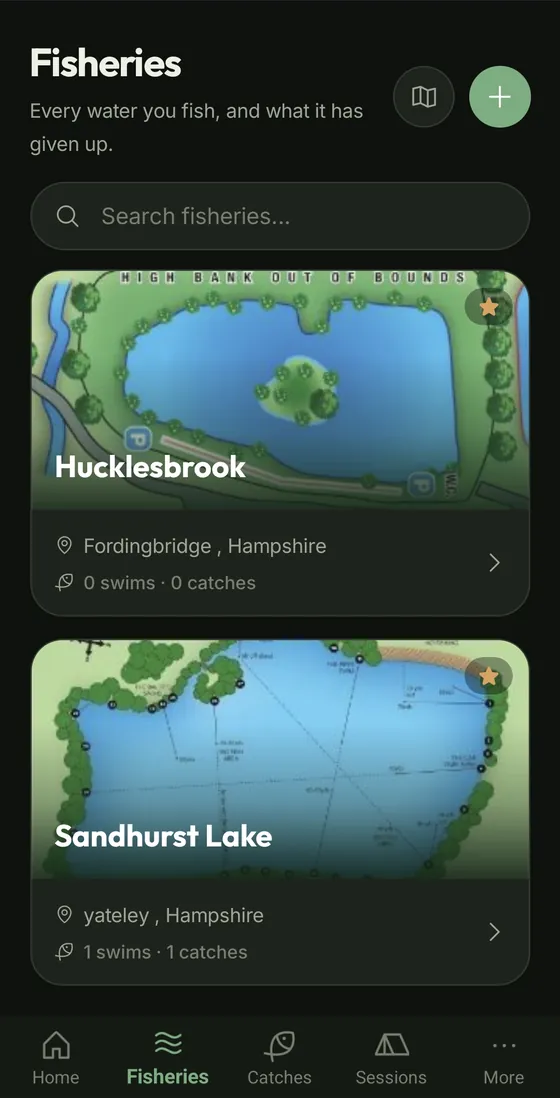
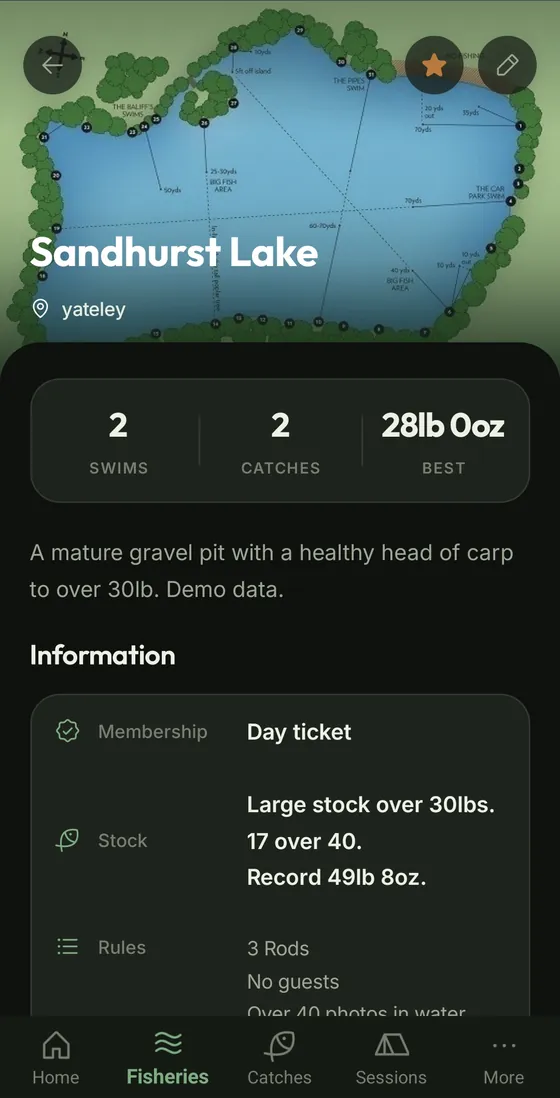
Each fishery has its own page: its swims, your catch count and best fish, and all the details you would otherwise keep on scraps of paper.
- Gate code and bailiff. The gate code, the bailiff's name and number, and the fishery's phone and email. Tap a number to call it.
- Rules and stock notes. What the water allows and what it holds, kept with the water.
- Getting there. Pin the water once and it gets a forecast, a place on the map, and Open in Maps and Directions buttons.
- Links. Club pages, day-ticket booking, forum threads and videos, kept with the water they belong to.
- Reference photos. Depth charts, swim maps and stocking reports. Tap one to view it full screen and pinch to zoom.
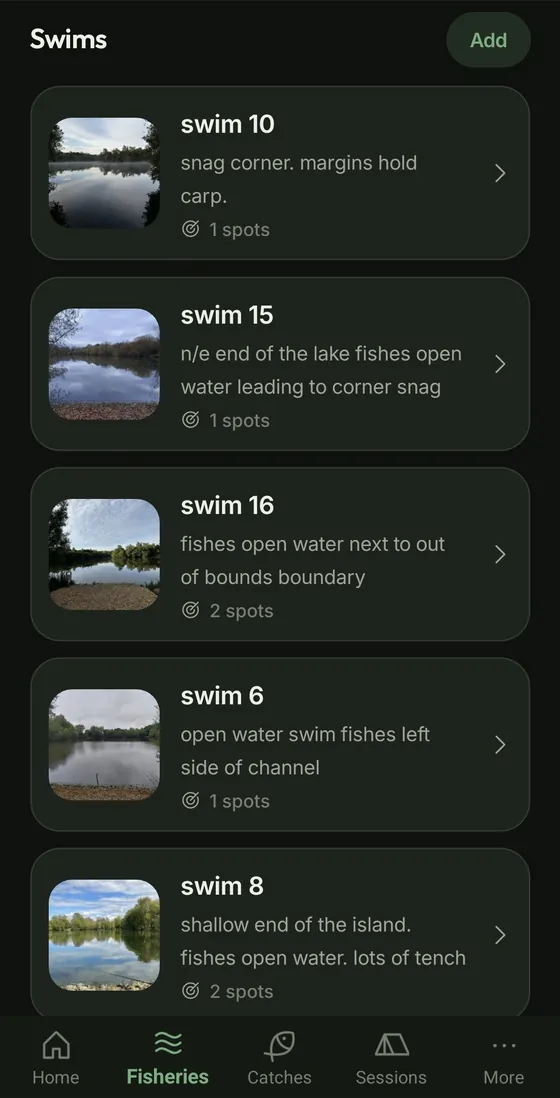
Know how every swim fishes.
Each swim keeps its photo, a note on how it fishes and its spots. Each spot is one cast from that swim: how far, how deep and what is down there.
- Find the swim again. Record its location while you sit in it, and the swim page shows an aerial view and gives you directions straight to it. Handy on a big water.
- Distances your way. Casts in wraps, yards or metres. Enter wraps and Ghillie shows the distance underneath, set to the rod length for that spot.
- Swingback worked out. With a distance and a depth, Ghillie tells you how much shorter to clip the spod rod so the bait lands on your rig.
- A track record. Trips, catches and blanks for every swim and spot, so you can see which ones earn their place.
- Bite times for the place. A grid of when fish have come from that swim or spot, by season and time of day.
Every fish, properly logged.
Weight and species first, then the rest when you have time. Log from a spot or a live session and the where is filled in for you.
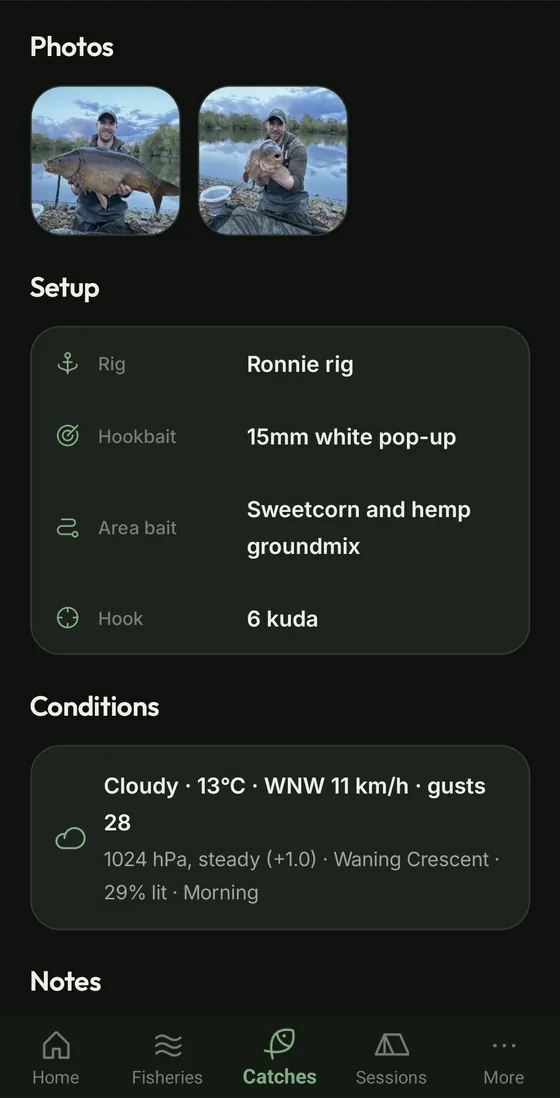
- Photos. As many as you like, with one picked as the trophy shot for lists and Home.
- Rig, hookbait and area bait. Ghillie suggests the rigs and baits you have logged before, so your usual setup is a tap away.
- Conditions in one tap. Weather, air temperature, pressure and its trend, wind, rain, the moon phase and the time of day, stamped on the fish.
- Filed for you. While a session is live, every fish is filed against it and its water.
Coming in 3.0.11: personal bests tagged on every catch, and a catch card to share a single fish as a picture, without your swim, spot, bait or rig.
See what else is in 3.0.11 →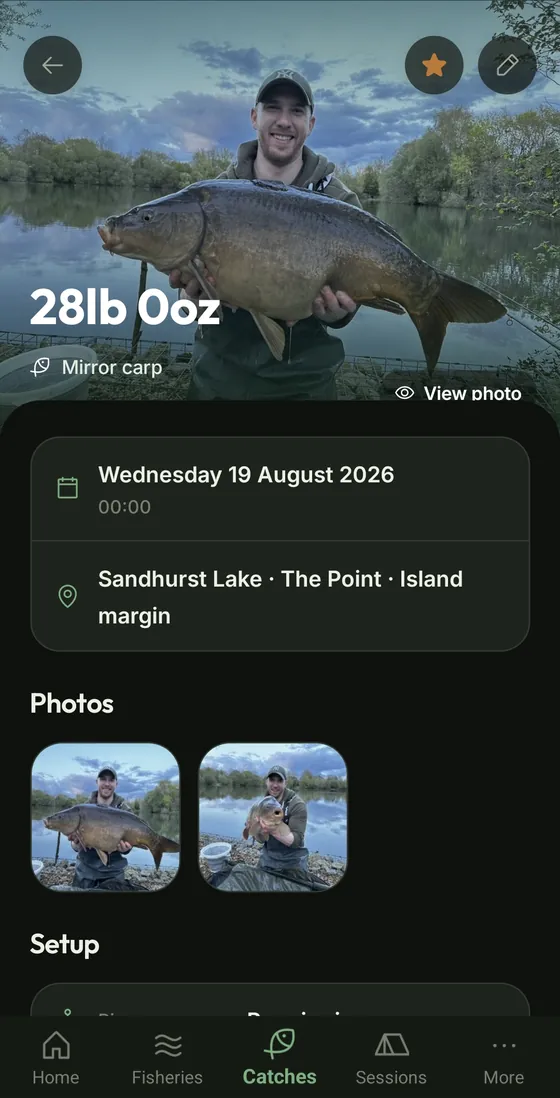
What caught, what blanked.
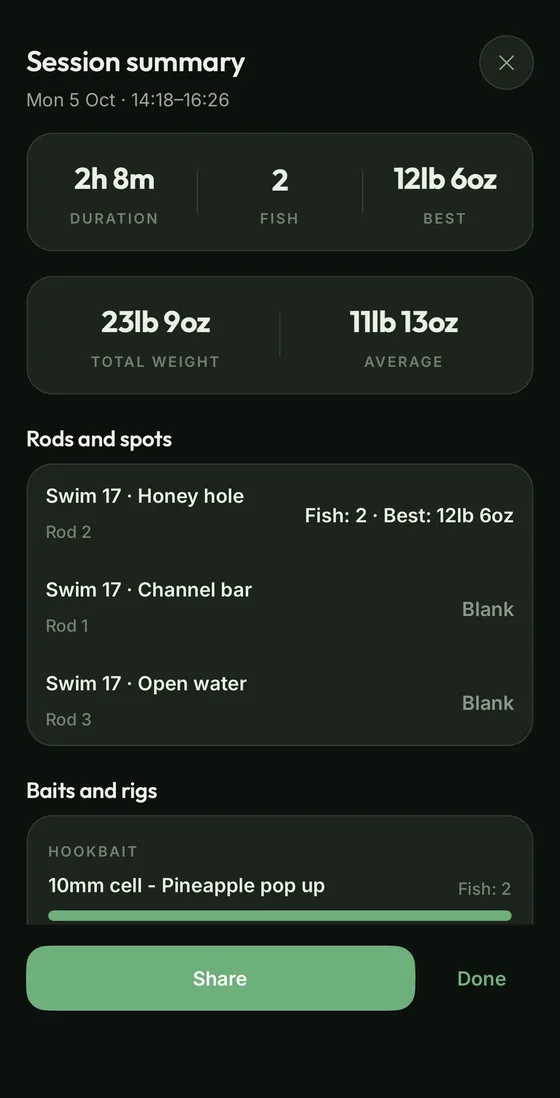
End a session and Ghillie lays the whole trip out on one screen, worked out from the fish you logged. There is nothing to fill in.
- The headline numbers. How long you were on, how many fish, your best, the total weight and the average.
- Rods and spots. What each rod's spot produced: the fish and the best one, or a blank.
- Baits and rigs. The hookbaits, rigs and area baits that caught, with the top three of each.
- Bite times. When in the day your fish came.
- A card to share. Save or send a picture of the trip and its fish. Your swims, spots, baits and rigs are never on it.
The summary stays on the session's page, and it updates if you add or correct a fish later.
See how Active Rods feeds it →See what's actually working.
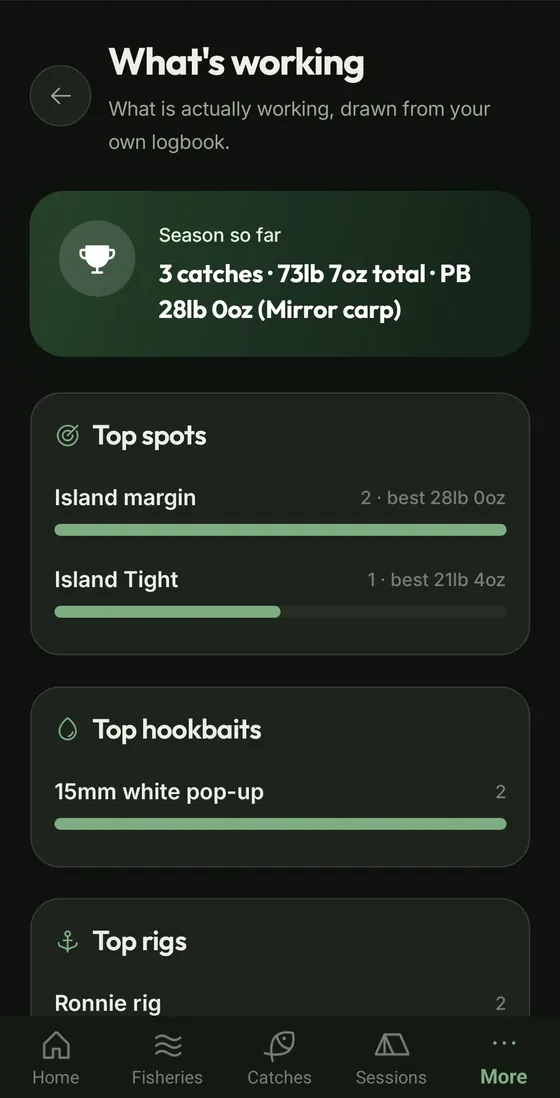
Insights reads your own logbook and shows what is catching for you. The more you log, the sharper it gets.
- Top spots, hookbaits and rigs. Ranked from your own catches, season by season.
- Bite times by season. A grid of your catches from spring to winter and morning to night, for your whole logbook and for each water, swim and spot.
- The conditions they came in. Capture conditions on your catches and Insights breaks them down by pressure and its trend, weather, wind direction, air temperature and moon phase.
Insights is part of Ghillie Premium, and is included in the free trial.
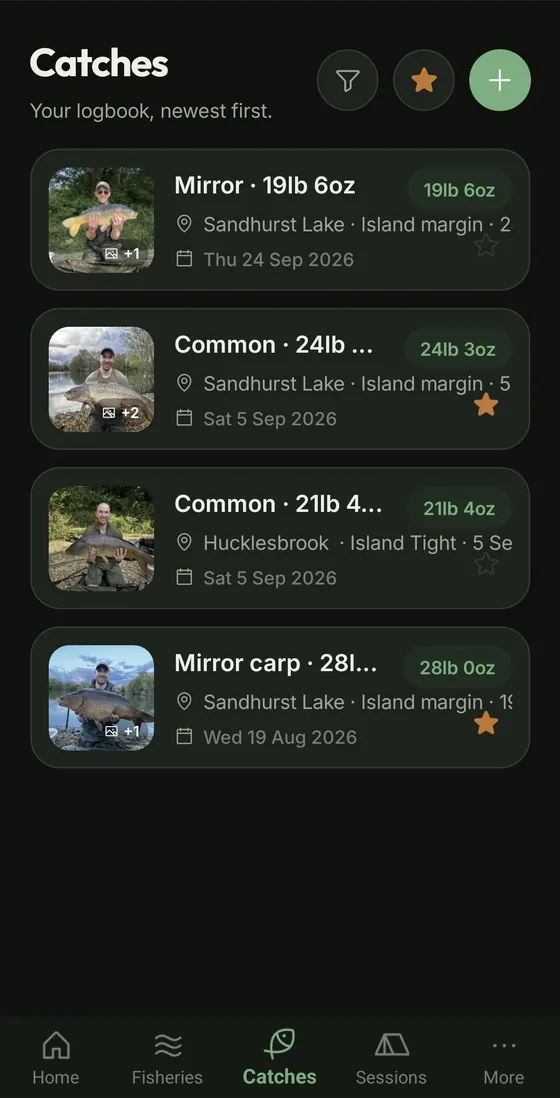
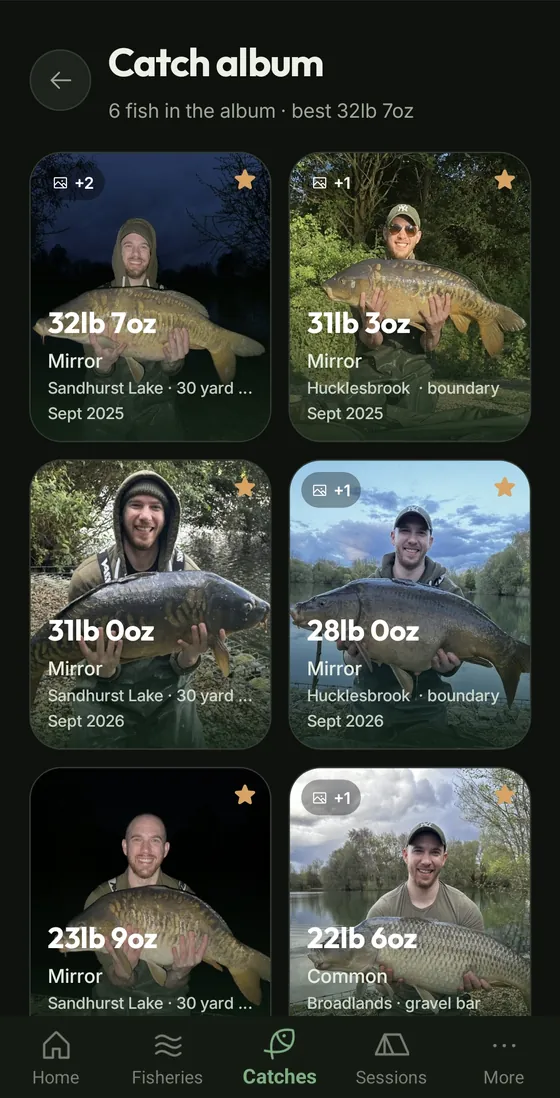
Every fish you have ever had, a tap away.
The Catches tab is your whole logbook. The album is the wall of your best fish.
- Filter and sort. Narrow it by species, weight or water, and change the order.
- Favourites. Star a fishery to put it on Home. Put a catch in the album with the trophy button.
- The catch album. Your best fish, heaviest first.
- Fast with years of fish. Long lists load a page at a time as you scroll.
Know what the water is doing before you set off.
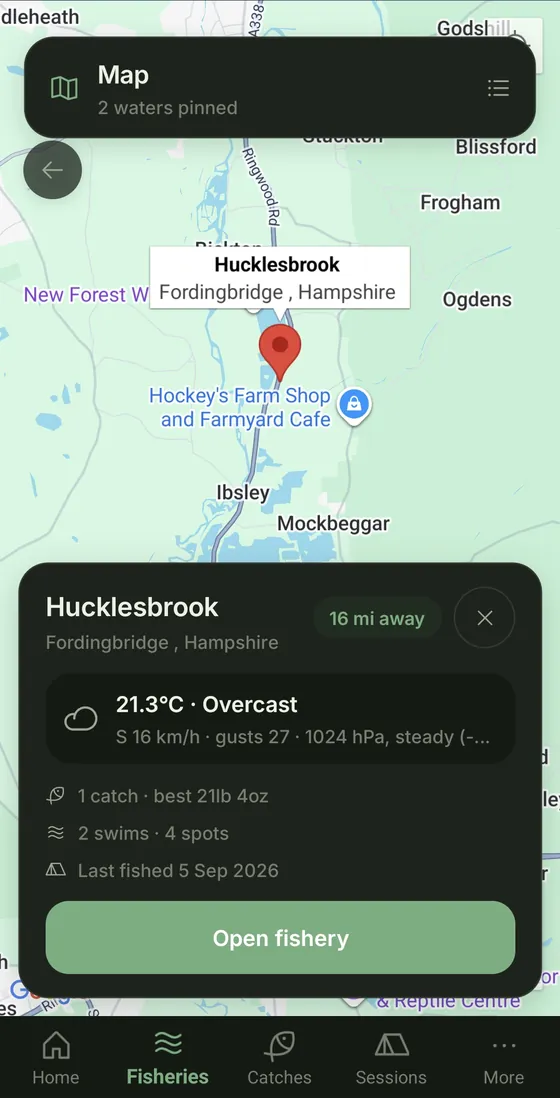
Pick your current location or any water with a location for its weather. Every water you have pinned sits on one map.
- Now and next. Temperature, wind, pressure and its trend, the next 24 hours and the days ahead.
- Sun, moon and bite times. Sunrise, sunset, the moon phase and today's solunar feeding windows.
- Warnings. Weather warnings for your water show up at the top before you set off.
- All your waters on one map. Tap a pin for the water's conditions, catches and last session. Search your waters or narrow them to a region.
- No signal? Weather shows the last conditions it saw, and says how old they are.
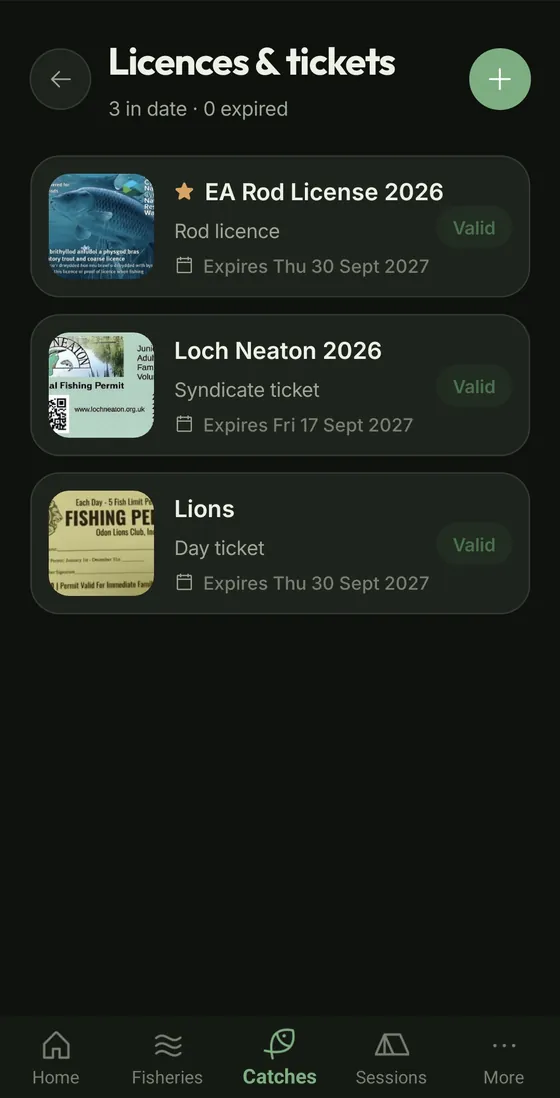
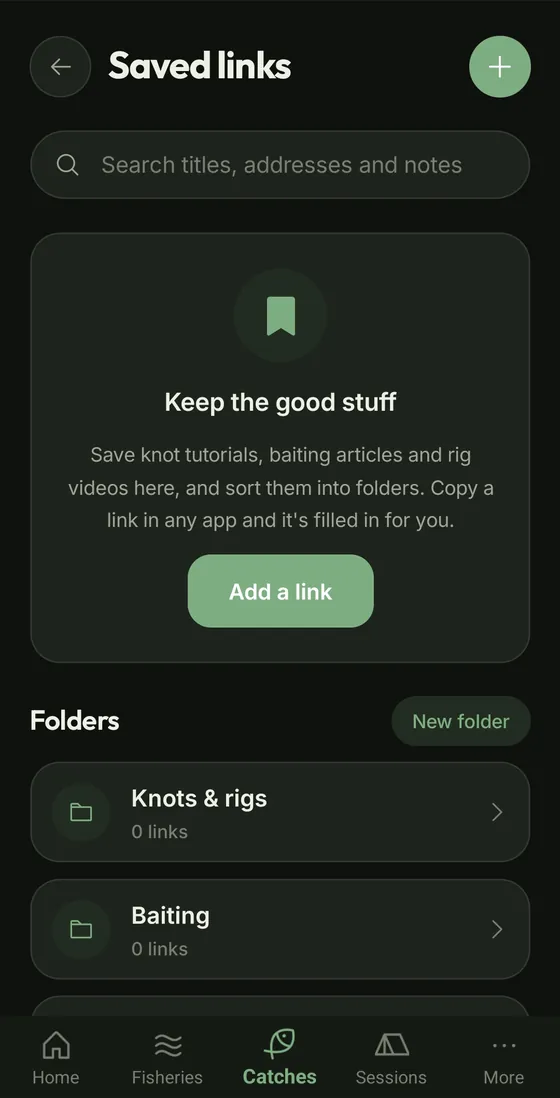
The paperwork, sorted.
Your rod licence and tickets are always on you, and the videos and articles you mean to come back to are in one place.
- Licences and tickets. Photograph your rod licence, club card, syndicate membership or day ticket, front and back. Show it full size to a bailiff, with no signal needed.
- Expiry warnings. Set the expiry date and anything running out within 30 days is flagged.
- Saved links. Copy a link in your browser, YouTube or a forum and add it in a tap. Keep knots, rigs and baiting in folders.
- Find it again. Pin the ones you use most, and search titles, addresses and notes.
Set it out your way, and keep it safe.
Home shows what you want to see first, in the units you think in. Your logbook lives on your phone, and a backup carries all of it.
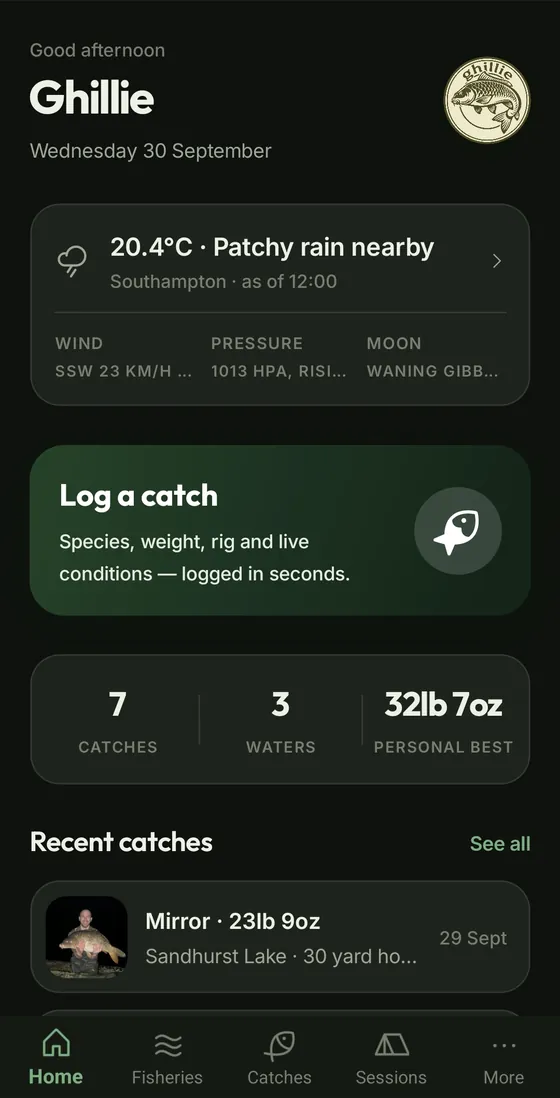
- Customise Home. Drag sections into the order you want, and hide the ones you don't use.
- Your units. Pounds and ounces or kilograms, yards or metres, wraps for casts. Switch any time without changing a record.
- Six languages. English, French, German, Dutch, Croatian and Spanish, with light and dark themes.
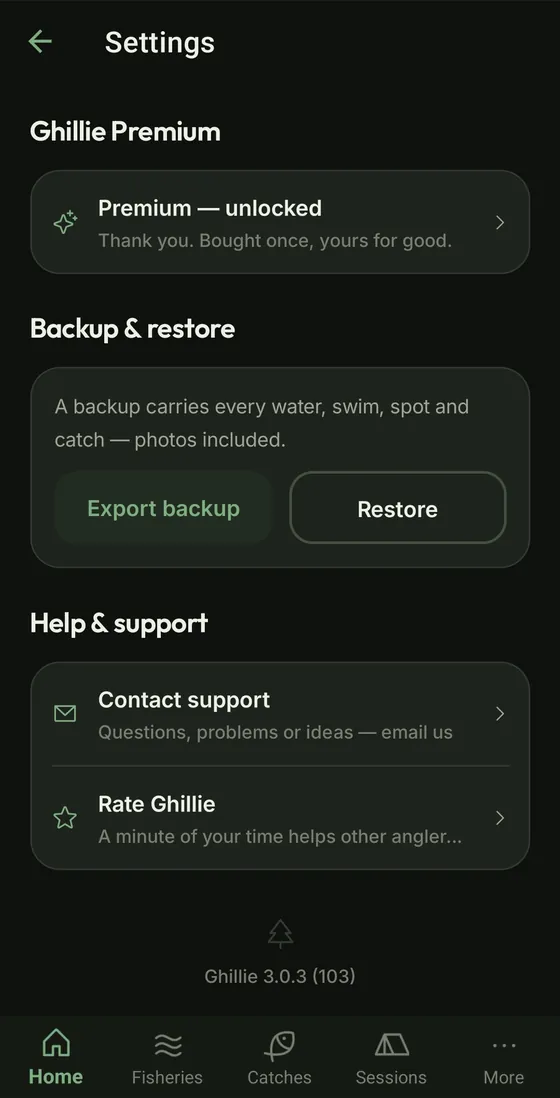
- Backup and restore. One file with every water, swim, spot and catch, photos included. Save it to Google Drive, iCloud Drive or email, and restore it on a new phone.
- A guide built in. The user guide in the More menu walks through every part of the app, with no signal needed.

Your next session starts with the last one.
For Android and iPhone. Free for 30 days, then a one-off £6.99£9.99 unlock. Everything stays on your phone.

 iPhone versionComing soon